

Mr. Key Fob's
Salto
Salto
Couldn't load pickup availability
- We offer the best price GURANTEED, we will beat any competitor's price by 20% who offer the same type of service.
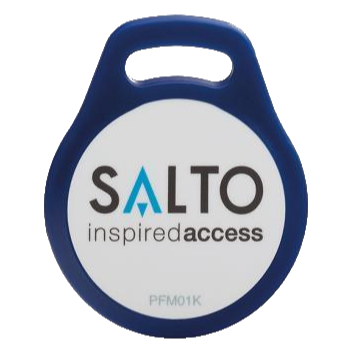
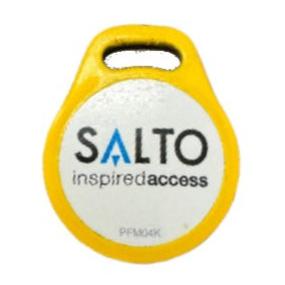
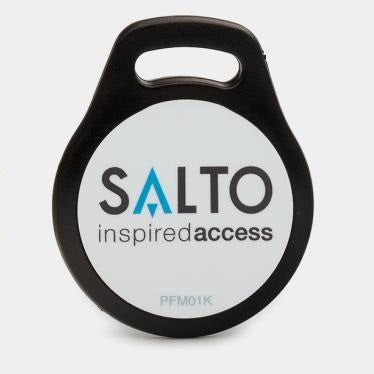
Salto key fobs come with different variants:
- PFM01K: MIFARE Classic 1K
- PFM04K: MIFARE Classic 4K
- PFD04K/CFAD407: MIFARE DESFire 4K
- CFAD207: MIFARE DESFire 2K
- No special mark, just says "salto A INSPIRED ACCESS": MIFARE DESFire 4K
Salto cards like the hotel room key cards also come with the MIFARE Ultralight C variants.
All newer Salto installations in Canada use MIFARE DESFire fobs. The rest of the world Salto installations are still dominated by MIFARE Classic fobs/cards.
Some mixed systems also use Salto with other systems, such as ICT, HID, you will see an ICT, RBH or HID fob.
The Salto KS variants (which have a Salto KS mark on the fob) are currently in the experimental support phase. All other variants including the MIFRE DESFire and MIFARE Ultralight C are supported. Please upload a picture with the Salto logo so that we can send you the correct equipment and blank tag.
If you are a management office or security system installer, we have bulk Salto-compatible fobs for sale at a competitive price. Plus, you don't need to have a Salto account to purchase this product: https://www.mrkeyfob.com/collections/bulk-condo-fobs-and-remotes/products/salto-fobs-cards
We support the following duplication methods for Salto tags:
- Read the data with the MIFARE Classic Tool (MCT) (MIFARE Classic variants only)
- Buy a NXP PN532 reader and clone it yourself (MIFARE Classic variants only).
- Rent a reader to clone yourself (all variants are supported, coming soon).
- Mail the key fob to Mr. Key Fob to clone (all variants are supported).
Instruction for reading the tag with the MIFARE Classic Tool (MCT):
MIFARE Classic Tool (MCT) is a very popular third-party Android application that can read MIFARE Classic tags. The tool can be downloaded from any app store on an Android phone. The application is also available on Github: https://github.com/ikarus23/MifareClassicTool
Below are the steps to read a Salto key fob and send the data to Mr. Key Fob for duplication:
1. Open the app and click on "READ TAG".
2. Click on "SELECT ALL", then place the Salto key fob on the back of the phone, then press "START MAPPING AND READ TAG". Please be patient for it to finish reading (takes up to a minute).
3. If the above step is correct, it should lead you to the screen with all the content of the key fob. Make sure all the sectors have data and you don't see any sector saying "No keys found (or dead sector)". Then click on the Share icon on the top of the screen. Email yourself the .mct file.
4. Attach the .mct file (Start with UID_) to this page when placing the order.
5. Mr. Key Fob will send you the programmed fob based on the .mct file you sent us.
Use a NXP PN532 reader to clone it yourself:
We are the only condo key fob duplication business that can send you a reader so you can clone the tags yourself. You will need a computer. The duplication instructions can be found here:
PN532 Cloner Duplication Instructions
Most tags have an expiration date (usually at lease end). If you renew the lease, the management office will reprogram your original tag, and the cloned tag will stop working. If that happens, the cloned tags are not covered under warranty. You can reclone them yourself with the PN532 (since you purchased the cloner). But an extra fee may apply for fobs that are custom-programmed by the Mr. Key Fob team.
Share